
Tools7 min read21 min video
A Maya-style timeline. Three tools still missing.
Unreal Engine 5.8: Is Epic Finally Taking Animators Seriously?
Key takeaways
- Unreal Engine 5.8 adds a simple view to Sequencer that you can set up to look and behave much like the Maya timeline.
- You can change how keys display, where the playhead sits, key size and colour, the range control, and link your timeline filters to the Curve Editor.
- Still missing for animators: mute channels, horizontal drag and drop for clips, and a batch baker that bakes each clip back to its source.
- The more animators live in engine, the more the line between animator and tech animator blurs, and the easier it gets to debug your own animation.
- Juniors should still learn the principles in Maya, but start animating in Unreal with Control Rig now. Studios are starting to ask if you can.
For a long time, Unreal Engine animation meant animating somewhere else. I think Unreal Engine 5.8 is the release where Epic finally takes animators seriously.
If you’re still living in Maya and thinking about making the jump to Unreal, this one matters.
For years the shift has been gradual. Traditionally you animate in a DCC, Maya or MotionBuilder, outside the engine, and then import everything in. The ideal is to work in the engine as much as possible, so you don’t have to do that back and forth so much.
I made this video with Alex Maniotis, an experienced animator who has been working in Unreal for around three years and has a course on Animworks about animating in Unreal. It isn’t sponsored. It’s two animators sharing what we think of Unreal Engine 5.8 and where we’re going from here, including a wishlist of what’s still missing.
Why Unreal Engine 5.8 matters for animators
When you think of an animation tool, you think of Maya, 3ds Max or MotionBuilder: a timeline and a graph editor. When you open Unreal, you don’t see an animation editor.
You just see an engine.
If you’re an old dinosaur in the games industry like me, you think of the engine as a separate thing, because you’ve been working in DCCs for so long. That has been the biggest barrier for animators. Before you could animate, you had to change the UI to match what you needed, and that took time.
5.8 changes that. There is now an interface built for animators, and you don’t have to rebuild it yourself. Epic are doing a good job of giving different disciplines different interfaces, and animation needs one that is all about the timeline and the graph editor: editing time and space.
The timeline and the graph editor: this is where we live in animation.
Harvey Newman

How to make the Unreal Sequencer feel like Maya
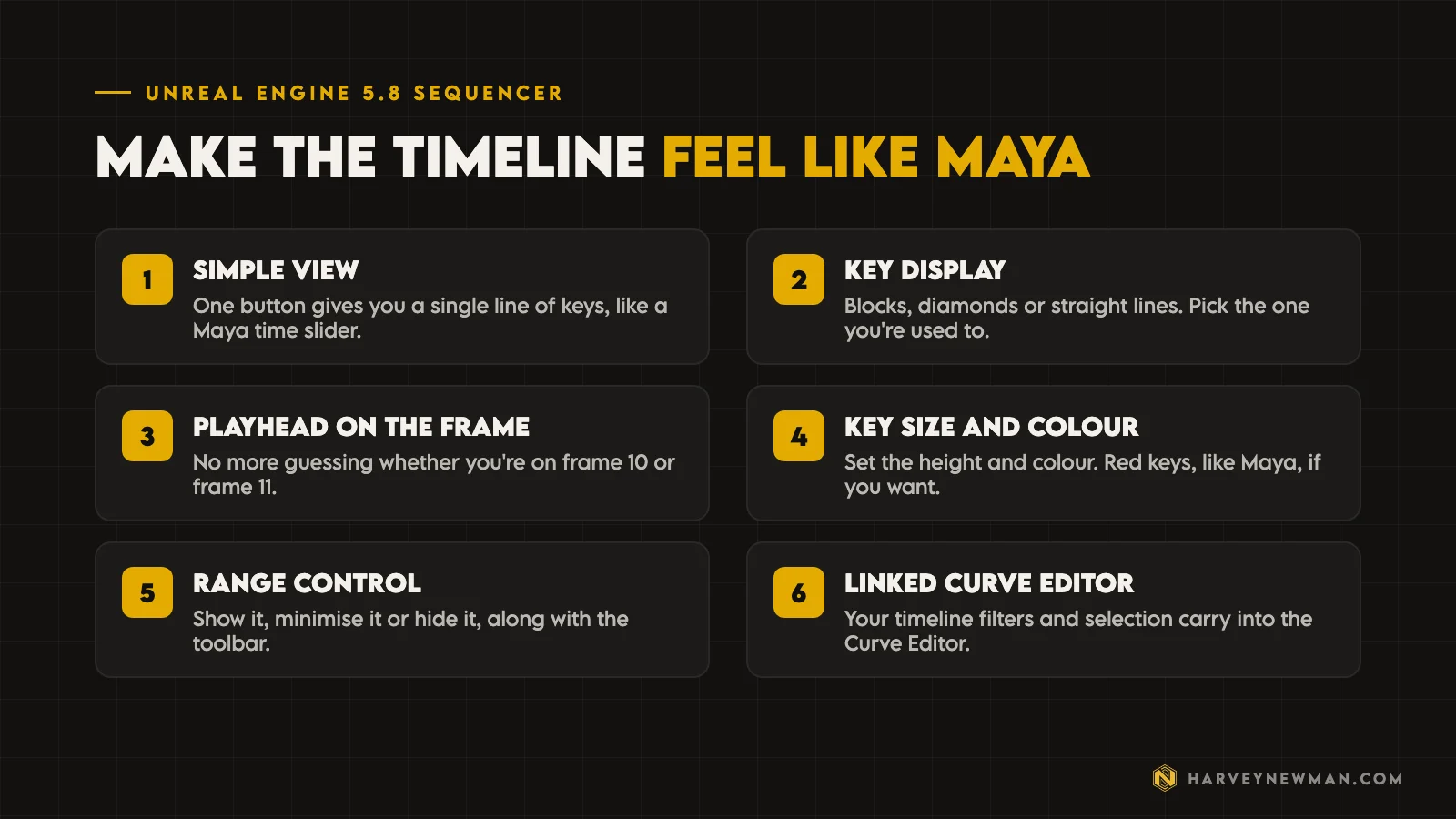
Alex walked through the changes in the 5.8 preview. Up to 5.7, you could customise Sequencer to get it close to a DCC like Maya, but it took work. 5.8 adds a small button that switches Sequencer to a simple view: one line of keys on your timeline, like the time slider in Maya. Layers work the same way too. Pick a layer and you only see the keys on that layer.
The first time you open it, keys show as blocks, which you’ll know if you’ve used 3ds Max. From there you can set it up the way you like.
- Key displayShow keys as blocks, the default Unreal style, diamonds, or straight lines like Maya.
- Playhead on the framePut the playhead on the frame lines, so you're never wondering if you're on frame 10 or frame 11.
- Key size and colourSet the height of the key bar and make the keys red, like Maya.
- Range controlShow, minimise or hide the range control and the toolbar of filters and options.
Alex keeps his range control on all the time.
“I like my range control. I want to work with my range control, so I never deactivate it.”
The key size is height only for now, so you can’t shape the key bar the way you can in Maya. It’s big enough for most people.
The last option is the one I’d point any animator to: a button that links the filters on your timeline, and whatever controls you pick in the viewport, to the Curve Editor, Unreal’s equivalent of Maya’s graph editor. Whatever you select in one shows up in the other.
None of this sounds dramatic written down. But if you animate for a living, you know that fighting the interface is what wears you down, and most of that friction is gone.
What’s still missing for animating in Unreal?
There are lots of pros in 5.8, but it isn’t finished. Alex picked the three tools he would most like in a future version, ideally Unreal 6. They’re tools animators use every day in other packages.

1. Mute channels. In Maya you can pick one or more animated controllers, mute them, and isolate the motion. It sounds small, but Alex uses it a lot in motion capture cleanup to pinpoint where dithering is coming from.
2. Horizontal drag and drop. When you drop several animation clips into Sequencer, they come in vertically. Alex often works with 10 or 20 animations in a row, and snapping each one into place by hand takes time. Over a week or a month, you notice it. He wants to drag them all in and have them line up horizontally in a queue.
3. A batch baker. Most DCCs have a game exporter that splits one animation into several clips by frame range. In Unreal, once you’ve fixed those clips on a layer, baking each one means setting the time bar, choosing bake to animation sequence, finding the folder (often hidden on game projects), remembering the naming convention, typing it, exporting, then zooming in on the next clip to check its timing and doing it all again.
“It’s time-consuming.”
He wants one button that bakes each clip back to its source for that clip’s duration only. For gameplay animation, that would be a big time saver. What’s on your list? Tell us in the comments.
Will animators become tech animators?
This is the bigger change underneath all of this. I believe that in the future many animators will become tech animators. Or, put another way, the line between a tech animator and an animator is going to get blurry.
The more we live in engine, the more we’ll understand how to build blueprints, how to build logic and how things fit together. The biggest reason animators have handed their work to a tech animator or a coder, and never looked at it again, is that we haven’t lived in the engine much.
I can talk from experience. The first studio where I got my hands on tech animation was DICE, where every animator is also a tech animator. I learned the hard way, and I didn’t want to.
When animation is so hard already, why do I have to deal with this other layer of difficulty as well?
Harvey Newman
But as we live more in engine and get familiar with where things are, I think we’ll naturally get curious about implementing our own animations and how they’re connected. Experienced animators know the moment: you make an animation that’s kick-ass, it goes into the engine, and it looks nothing like it. Then you have to ask questions and talk to a bunch of people to find out what was missing and where it broke.
With access to the engine, you can dissect and debug that yourself much more easily, and I’m excited about that. If you want to see where animation sits in the bigger picture, my game animation pipeline post walks through it.
Should you switch from Maya to Unreal now?
I think we’re heading to a world where we live more in the engine than in DCCs, and that’s good for everyone making games. If you’re thinking about making the jump, there’s no better time. Epic released 5.8 in June 2026.
If you’ve never touched an engine and you’re on the fence, get used to the idea of animating in engine now. It’s like getting on board with AI, or learning motion capture.
There’s a train coming, and if you don’t hop into it, I think you’re going to find out that it’s going to be slightly too late.
Many young animators are already animating in engine.
Advice for junior animators
For all the junior animators out there, here’s the biggest advice I can give you.
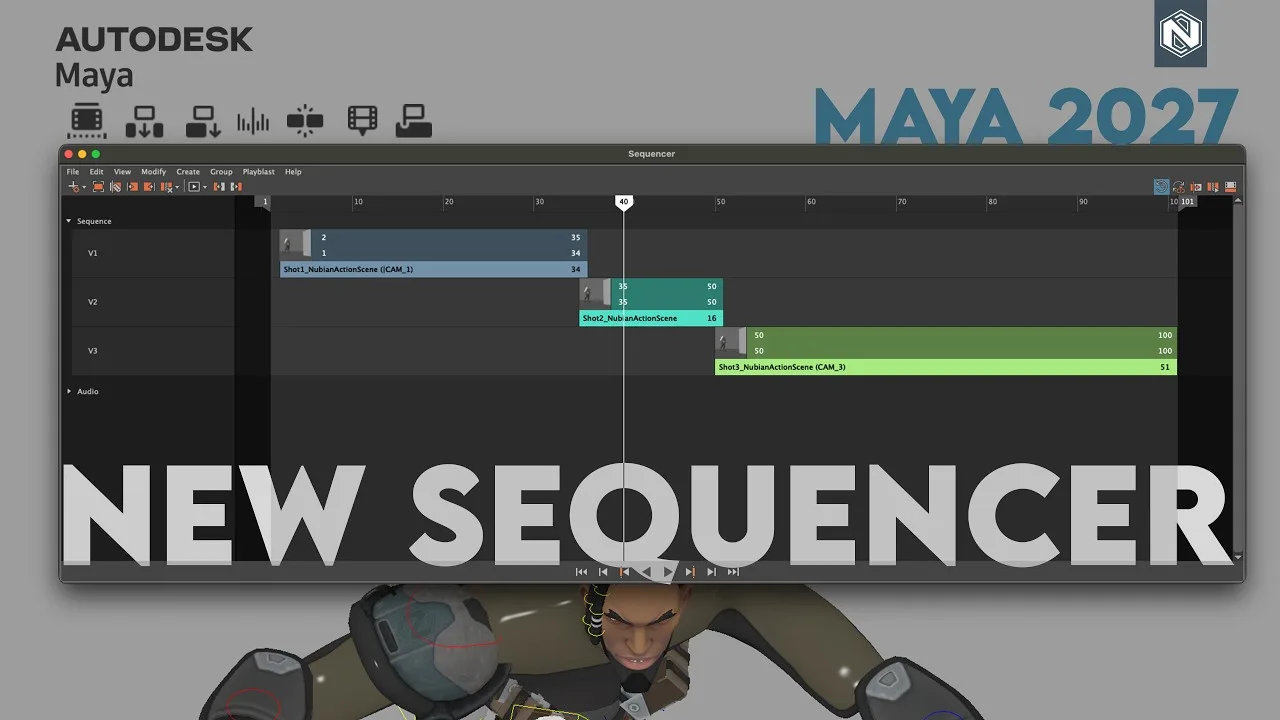
Learn the principles of animation, and animate in Maya to learn them, because there’s no better software to animate in than Maya. If you’re choosing between packages, my Maya 2027 animation post covers what’s new there.
At the same time, start playing with Unreal and see how it feels to animate with a control rig. It will feel different from Maya. But I think studios are going to ask you one question more and more: can you animate in engine?

The more you get used to it now, the better it will be for you, because you’ll be ahead of the curve. At the studio I work with, when we find an animator who can already animate in engine with Control Rig, it’s a massive bonus, and clients like it a lot.
If you want a structured way in, Alex’s course Unreal Animation Unlocked on Animworks covers the production workflow from importing Maya assets through Sequencer, Control Rig and mocap cleanup.
Where Unreal Engine 5.8 animation goes from here
Since this video, I’ve taken 5.8 further. With Alex Moon, we took a phone video all the way into gameplay in Unreal Engine 5.8 using markerless motion capture, and cleaned it with Control Rig without leaving Unreal. And if you want to see where animation and AI can come together without removing the creativity, watch my Motorica AI review.
That’s our take as two experienced game developers on Unreal Engine 5.8. What’s the number one tool you’re still missing? Come and tell us in the comments on the video.
The video
Watch the full breakdown
Questions people ask
Is Unreal Engine 5.8 good for animators?
It's the most animator-friendly version so far. The new simple view in Sequencer lets you set the timeline up much like Maya, so you no longer spend your first hour rebuilding the interface before you can animate.
Can you animate in Unreal Engine instead of Maya?
Yes. You can animate in Sequencer with Control Rig, and more young animators already do. Maya is still the best place to learn the principles of animation, so learn there and practise in Unreal alongside it.
What is still missing from Unreal Engine 5.8 for animation?
Alex Maniotis's top three: mute channels to isolate motion on chosen controllers, a way to drag many clips into Sequencer so they line up horizontally, and a batch baker that bakes each clip back to its own source in one go.
How do I make the Unreal Sequencer timeline look like Maya?
Switch Sequencer to the simple view, set keys to show as lines, put the playhead on the frame lines rather than between them, turn the keys red and keep the range control visible. Then link your timeline filters to the Curve Editor.
Should animators learn Unreal Engine?
Yes. Studios are starting to ask whether you can animate in engine, and at the studio I work with, an animator who already has is a big bonus. Get comfortable now, while there's no pressure.
And remember,
there are no shortcuts for animation.
 Stay well, stay safe,Harvey NewmanBook a free call →
 Looking for knowledge?How to Thrive in the Games Industry: The Long GameMy book on building a career in games and keeping it. CRC Press, 246 pages.Get the book →
 Looking for resources?Rigs, courses and mentors on AnimworksFree and paid rigs, courses from working pros, one to one mentoring and mocap packs.Visit anim.works →
 The Game Animation Pipeline: How I Build One, AAA or Indie12 Jun 2026
 Maya 2027: The Sequencer Update Maya Animation Needed8 May 2026
 mGear: Why the Maya Rigging Tool Studios Rely On Is Still Free30 Oct 2026
 Mastering Motion Capture for Games: Advanced Techniques and Tools From AAA12 Nov 2024