
Tools8 min read21 min video
Six months of testing. One kung fu video. A character artist's verdict.
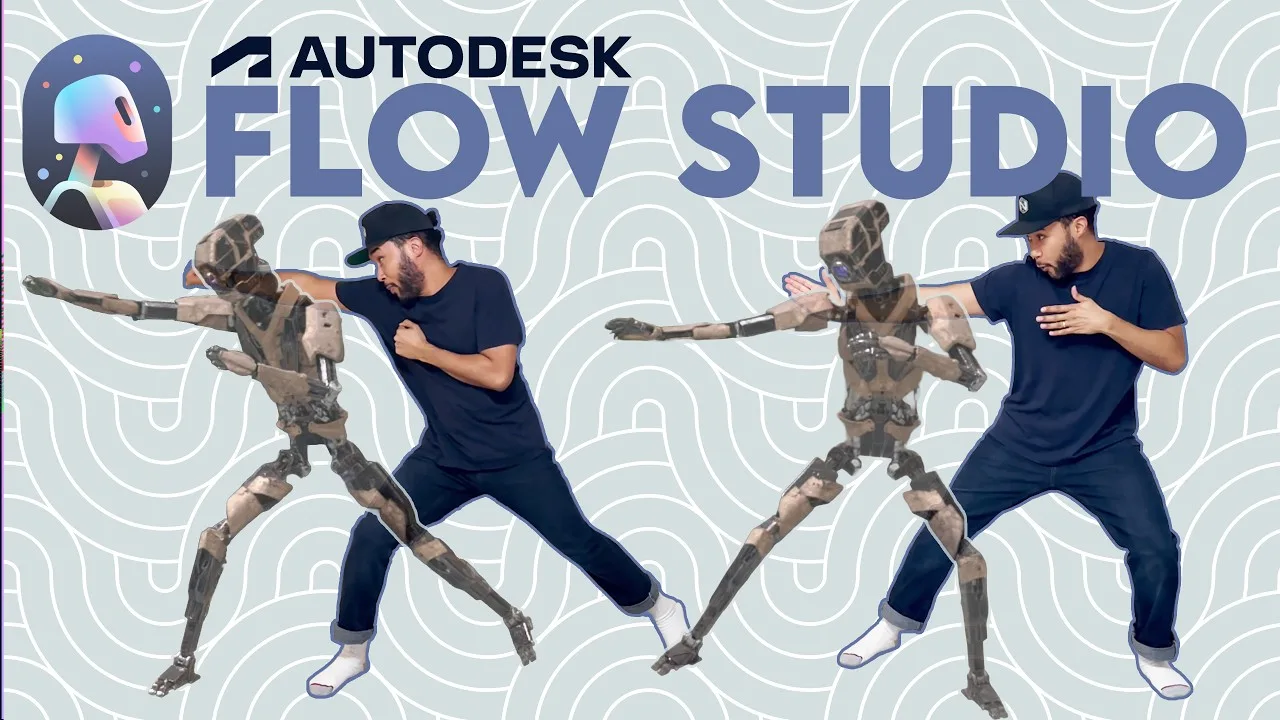
Autodesk Flow Studio: AI Motion Capture for Game Developers
Key takeaways
- Autodesk Flow Studio runs in a browser, so it works on PC or Mac. You upload video and get back motion capture, camera tracks and 3D models.
- Its AI motion capture handled a dim, cluttered room and a hand crossing the body. The result had some jitter and foot slippage, but it was workable.
- You can export the whole scene to Maya, Blender, Unreal or USD, or export the AI mocap as an FBX for any 3D package.
- Text to 3D and image to 3D gave a character artist useful blockouts for size and scale, but not game-ready assets.
- Flow Studio is strongest for prototyping. Solo and indie developers get the most out of it. Professionals still take the final assets to game-ready.
AI keeps coming up on my channel, like on every other channel. I look at it from two angles. One is the state of the industry: how AI affects us now and where it’s going. The other is tools, the ones made for game development, artists and creativity. Autodesk Flow Studio is one of those tools.
I’ve been using it for about six months. I needed to get it into my own pipeline to see how it worked for me, and I think it’s going to save indie studios, smaller teams and creatives plenty of time and money.
This video was sponsored by Autodesk, but all the thoughts here are my own.
Why I tested Autodesk Flow Studio
When Autodesk approached me about Flow Studio a few months back, I started playing with it to find out how much AI was in there and how useful it was. The more I used it, the more I saw where it fits.
What I like is how Autodesk is approaching the AI trend. They don’t seem to want to take the humanity or the creativity out of it. They want to prop you up as an artist with the best tools possible, so you can create a little easier and faster, and save money doing it.
Pressing a button and getting the thing doesn't help with ideation.
Harvey Newman
I’ll say this up front: spending time thinking about what you want to make helps you a lot. Ideation happens when you’re sat somewhere going through a gazillion thoughts, and only the best one wins. You write it down or draw it, and move on to the next thing. That process needs time. What can be improved are the steps around it.
What problem does Flow Studio solve? Prototyping
Where I think this tool is best is the ideation and prototyping stage, when you’re making test models, test animations and cinematics.
Here’s how prototyping normally goes. You storyboard, or write a narrative of what the character is doing. Then you need reference, so you go out with a camera, whether it’s an iPhone or something expensive, and shoot it to get a feel for timing and angles. Then you bring it back in house and think about models, rigging, animation and cleanup.
That’s all just to prototype something and see if it works. If it doesn’t, you go back to the beginning. Storyboard again, model again, and so on.
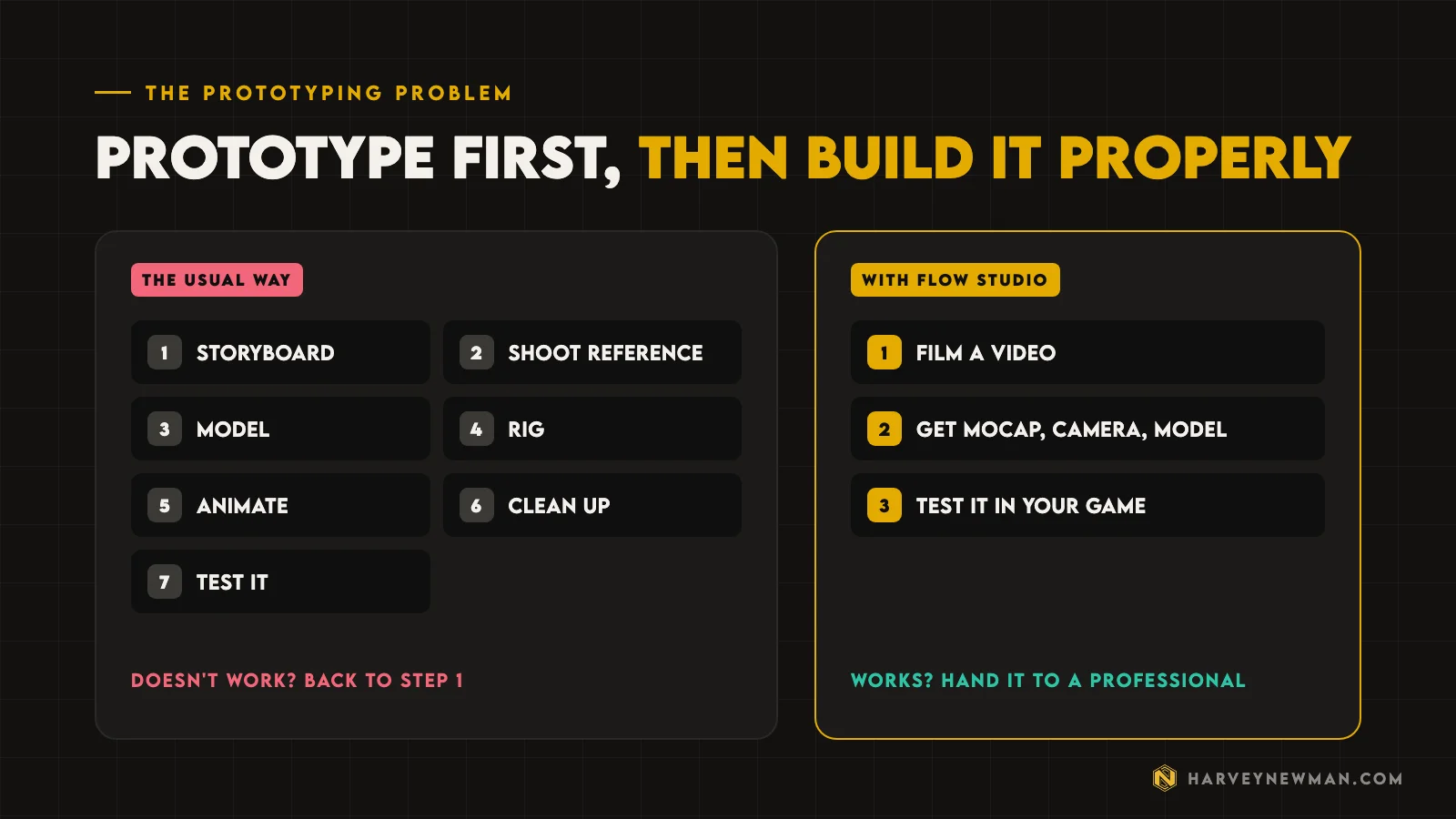
Flow Studio helps a lot here.
It makes me more creative, because I can spend more time thinking about what I want to do.
I get it, come back and do it again. It’s a much more malleable way of working.
How does Autodesk Flow Studio work?
The first thing to know is that it lives in a browser. You don’t need a particular PC or Mac. I use it in a tab in Arc, and it runs flawlessly. You log in with your Autodesk account and land on a homepage with a few sections:
- Projects, where everything you work on lives.
- Wonder Tools, which includes text to image, image to 3D and text to 3D.
- Templates that Autodesk provides so you can get familiar with the software.
- My Assets, where your uploaded videos and images sit.
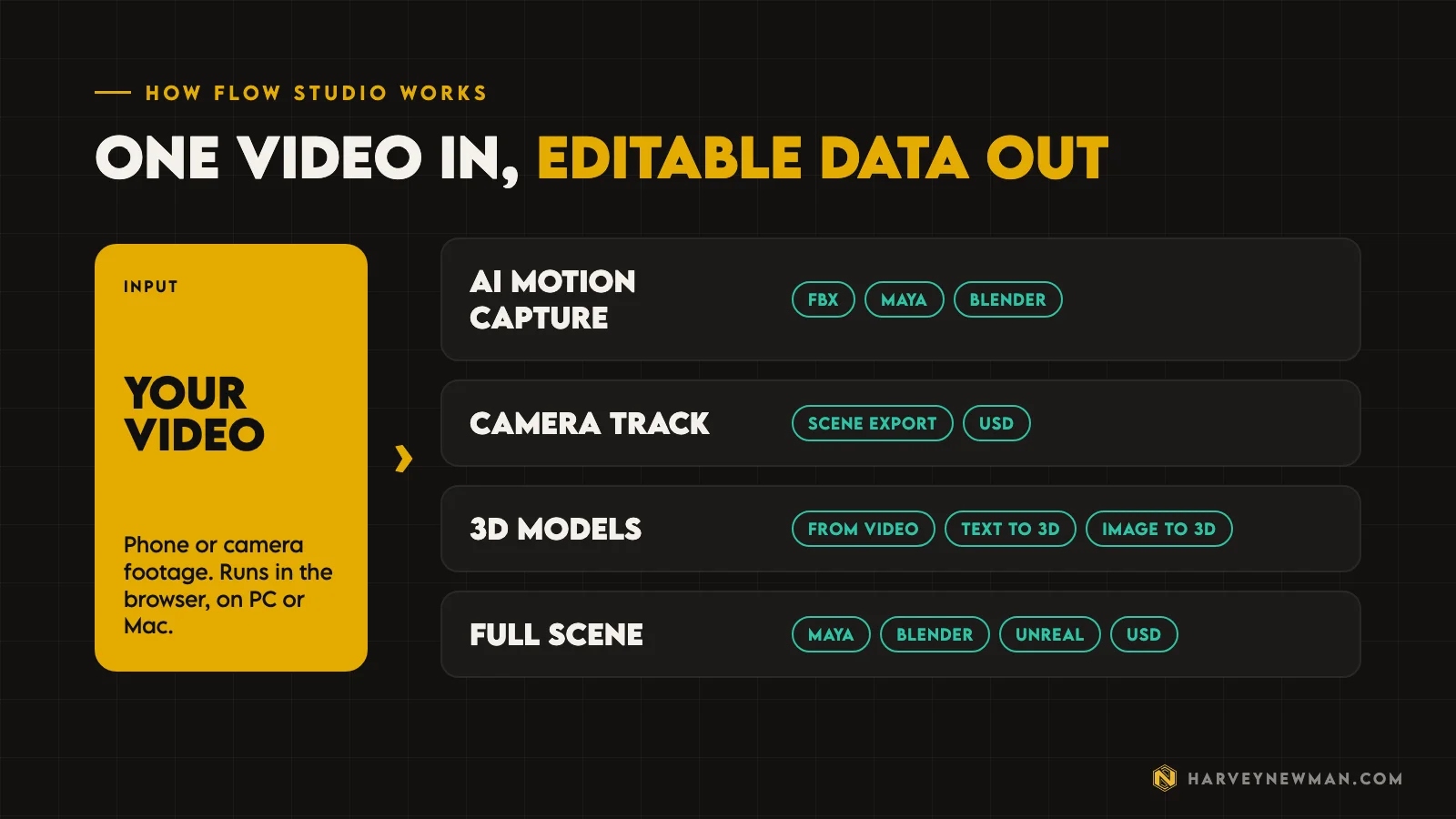
The way to think about it: you put videos in, and those videos turn into models, mocap or cameras. Those are the three main things you take away, and you can get clean plates as well. I expect more to come.
Testing AI motion capture on a bad recording
To test it, I filmed myself acting the fool, doing some simple moves and pretending to do kung fu. I wanted to see what the final result would look like.
As a professional, I know that recording broke several rules:
- The room was dimly lit, with several different light sources.
- There were lots of objects behind me.
- My socks and the carpet were roughly the same colour, especially round the tips of my toes.
- My hand crossed in front of my body.
Those things normally matter. With video-based mocap, like an iPhone solution, you need clear separation between you and your surroundings. With marker-based systems, you need to avoid limbs intersecting. In Flow Studio, none of this turned out to be a problem.
Setting up a project
When you create a project you pick a type. The options are Live Action Easy, which is what I used; Live Action Advanced, where you can animate, change things and composite CG characters; AI Motion Capture, which is body tracking from video; and Animation / Video to 3D Scene.
I chose Live Action Easy because I wanted the data: things I can put into Maya, Unreal or Blender, then edit and change the way a professional would.
- UploadPick your footage from My Assets.
- Create actorPlace a marker on the person in the shot.
- Assign characterDrag a character onto the actor, or upload your own.
- GeneratePress next and Flow Studio builds the result.
I picked one of Autodesk’s characters, a cool dude called Bob, dragged him onto the actor on the timeline, pressed next, and it generated the result.
The result: workable AI mocap
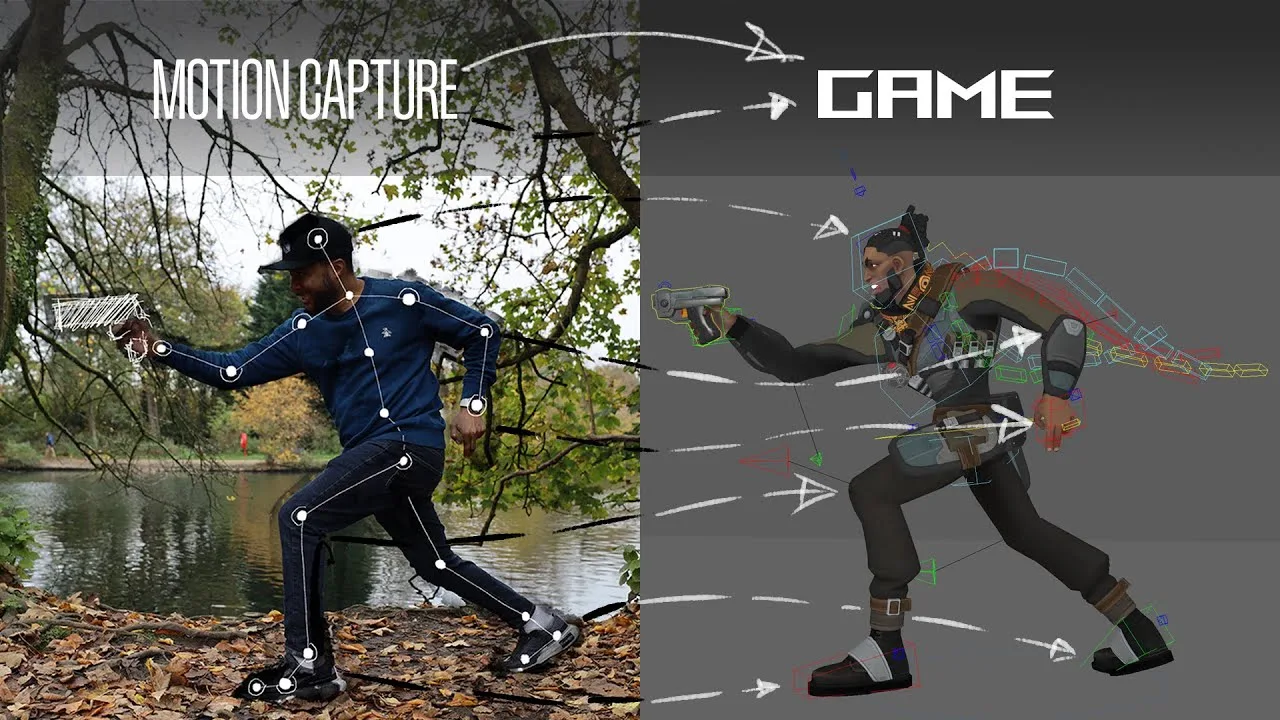
You still get the audio, and you can see it’s me. There’s a little floating and a little foot slippage. But even with poor lighting, messy data and no effort from me to make it easy, it got my arms, feet, body and the little nuances.
I can see jitters here and there, but it’s not that bad. It’s workable.
That’s the most important thing. I can work with this.
Exporting Flow Studio mocap to Maya, Blender and Unreal
This is where I think it’s most powerful. From that result you can:
- Export the whole scene as a Maya scene, a Blender scene, an Unreal Engine scene, or a generic USD scene you can put anywhere.
- Export the AI mocap on its own as an FBX you can use in Maya, Blender or any software you like.
- Export the camera track.
- Export textures, including for the robot character.
- Export the source video or the final video.
Text to 3D and sketch to 3D: a character artist’s tests
For the 3D tools, I asked Yogi, character art director at Rekindled and a talented artist, to go through them as a character artist. I wanted to know what was possible, where the limits were, and whether professionals would use them.
His view going in was that AI can work well for starting blockouts of characters and laying good foundations.
Test 1: Text to 3D
Yogi started from a prompt for a futuristic pilot wearing a helmet, then turned the result into a model. He liked the interface for picking model density, including an adaptive option and topology choices between triangles and quads. Because he works in a ZBrush pipeline, where a base mesh gets sculpted on top, he chose the highest density with quads and no texture.
It generated in a moment. His verdict:
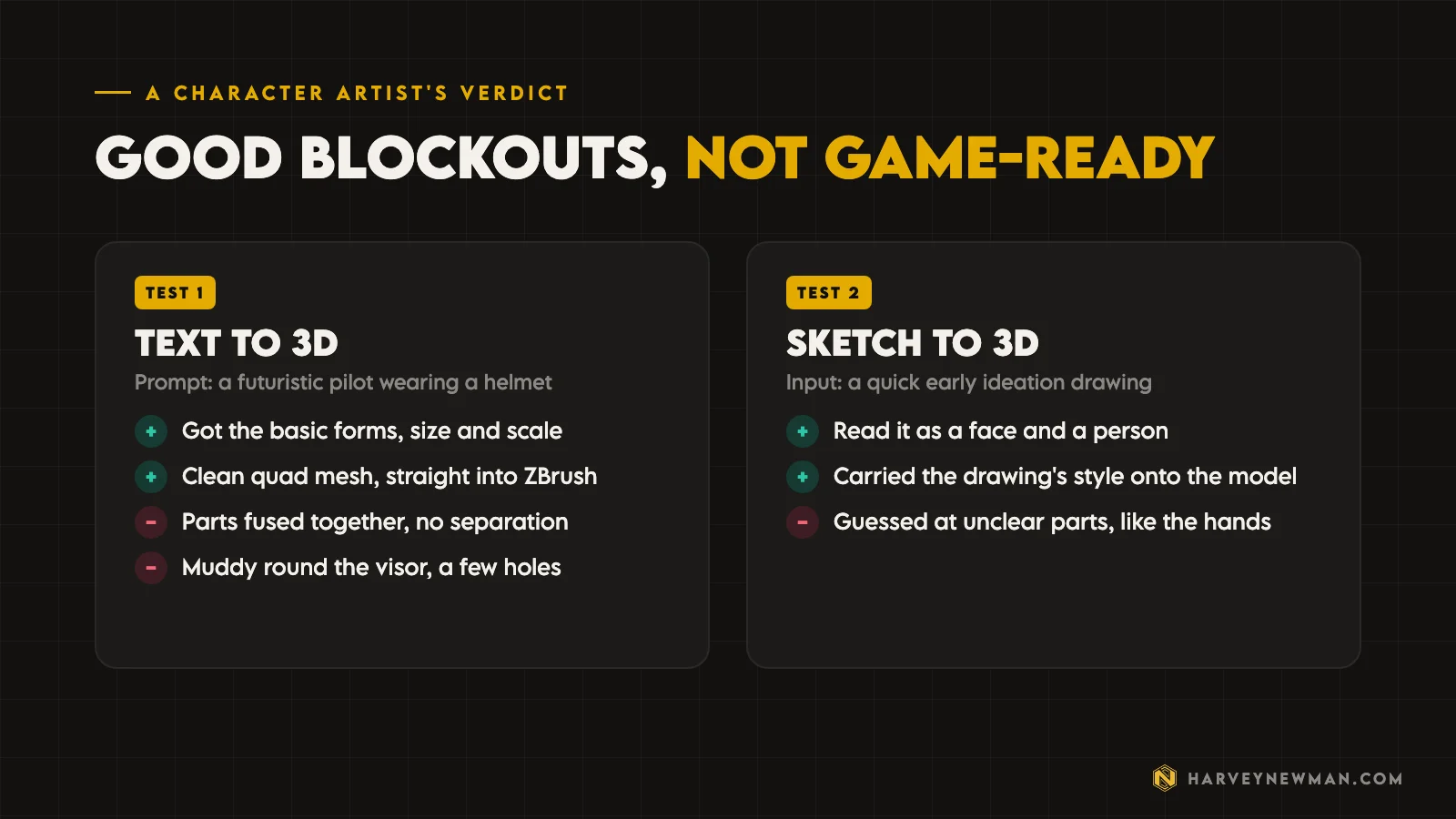
- It got the basic forms, and a good idea of the size and scale of the different parts. A good blockout.
- Parts were fused together, with no separation, which he’d want to pull apart for a game character.
- It struggled a bit at the front, probably because of what’s visible through the visor, so it needs some cleanup.
- Exported as an OBJ into ZBrush, it was a nicely quadded mesh, muddy in places, with a couple of holes. For a blockout, it looked good.
Test 2: Sketch to 3D
Next he brought in a quick sketch of a generalised character, the kind of drawing you’d make in early ideation, before anything goes to concept.
He was surprised by the style. He expected block colours, but it carried the drawing onto the model in a way he liked. It understood the face and the person, and it tried its best to work out the unclear parts. He liked what it did with the hands, which came out almost symmetrical.
Where does Flow Studio fit among AI tools for game development?
As Yogi’s tests show, the tool has limits. It’s useful for a quick model you want for ideation. That’s where it fits.
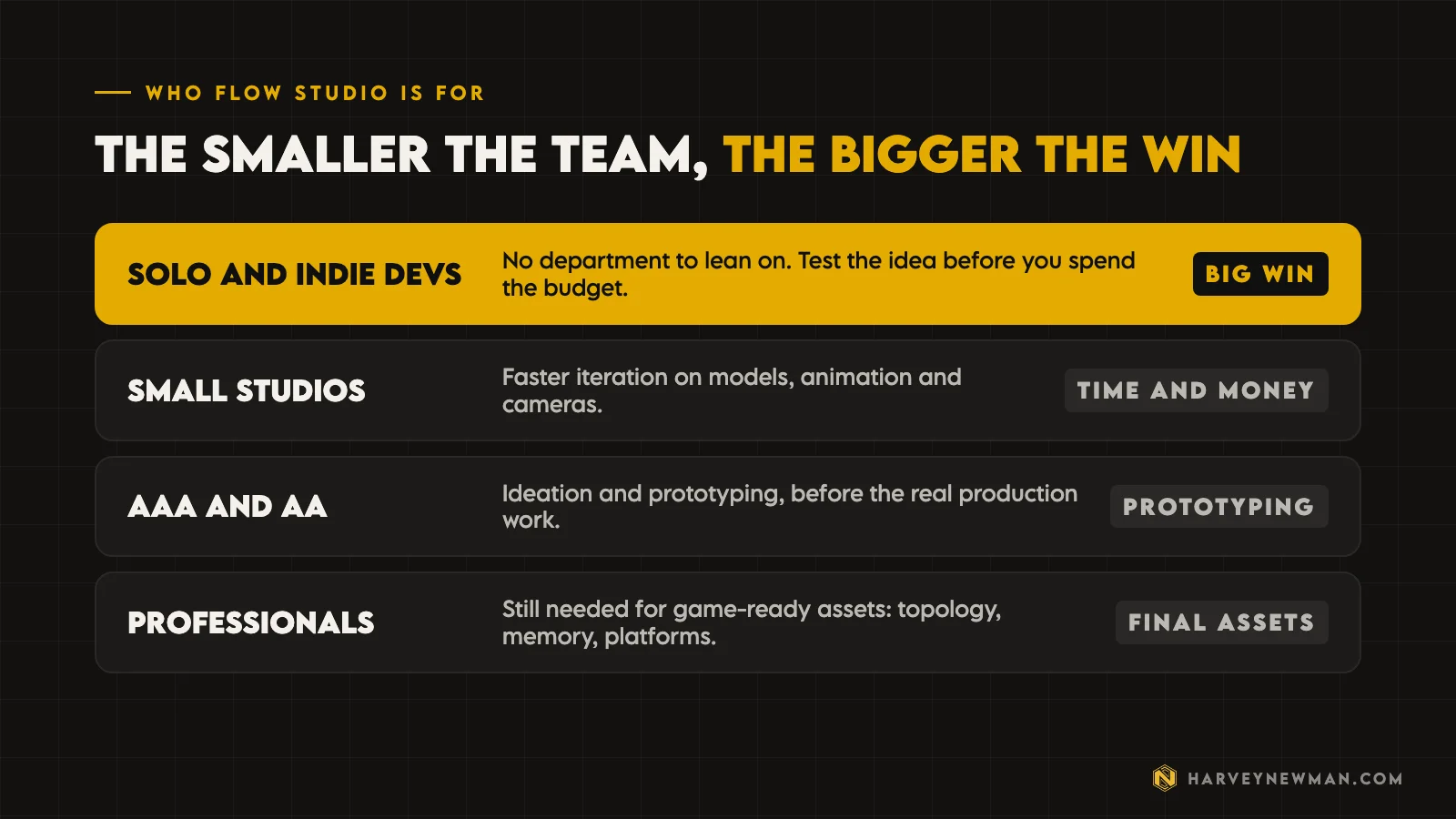
If you’re a solo developer or a small indie team without a whole department to rely on, and you need that model or that animation, I think it’s a good tool for you. It helps you iterate quickly and see how things work.
Say I’m a solo developer on a restricted budget. I can make something small and not super polished, test it in my game, and see if it works. Then I can hire someone to do it properly.
If you have to invest money, you need to know you're investing it in the right thing.
Harvey Newman
A professional artist like Yogi would always take that model and say, “OK, now I’m going to do it properly.” That’s how you get a game-ready asset that’s neither too heavy nor too light, with clean topology. Every game has different needs and memory thresholds, and every platform is different. You need someone who can give you assets that are ready for your game.
For ideation, that matters less. You don’t need clean assets to see if something works. If it does, iterate on it, and when you’re happy, go and do the real thing. It saves you iterations. By the time you’ve only spent what a Flow Studio subscription costs, you know the model, animations and cameras are roughly what you want. Then you can sit down with professionals and talk about how to get it into the game: memory limits, topology limits and all the rest.
Is Flow Studio a good AI tool for animators?
After using it for so many months, I think Flow Studio is a positive tool for anyone working in games right now who wants to test the waters with a tool that supports the artist. It saves time, and it saves money if you’re an indie developer on a small budget.
It helps you visualise things and see ideas that your limits, artistic or financial, wouldn’t have let you see before. It empowers game developers and anyone who wants to be creative, without limiting what professionals do.
That’s why it matters to understand where the line is: what this tool is for and who it’s for. For small indie studios and solo developers, you get plenty of bang for your buck. That’s why it excites me.
I’ve written separately about where I think AI falls short creatively in AI animation vs traditional animation. Flow Studio is a different kind of AI tool for me: one that supports the artist instead of taking the creativity out.
I know AI is controversial, and comments on these videos can get negative. Wherever you stand, I want to hear it. Will Flow Studio be useful to you, or is it one of those evil tools? Tell me in the comments on the video.
The video
Watch the full breakdown
Questions people ask
What is Autodesk Flow Studio?
A browser-based AI tool from Autodesk. You upload video and it turns it into motion capture, camera tracks and 3D scenes you can export to Maya, Blender, Unreal or USD. It also has Wonder Tools such as text to image, image to 3D and text to 3D.
How good is Flow Studio's AI motion capture?
In Harvey's test, filmed in a dim room with a busy background, it still picked up the arms, feet, body and small nuances. There was some floating, foot slippage and jitter, but the data was workable as a starting point.
Can you export Flow Studio mocap to Maya, Blender or Unreal?
Yes. You can export a Maya, Blender, Unreal Engine or generic USD scene, or export the AI mocap on its own as an FBX. The camera track, textures and videos can be exported too.
Are AI generated 3D models game-ready?
Not yet, in this test. The text to 3D and sketch to 3D models were good blockouts for size, scale and ideation, but parts were fused together, some areas were muddy and there were holes. A professional still needs to clean up topology and hit the game's memory limits.
Who is Autodesk Flow Studio for?
Mostly solo developers, indie teams and small studios that need models, animation or cameras without a whole department behind them. Bigger studios can use it for ideation and prototyping before the real production work.
And remember,
there are no shortcuts for animation.
 Stay well, stay safe,Harvey NewmanBook a free call →
 Looking for knowledge?How to Thrive in the Games Industry: The Long GameMy book on building a career in games and keeping it. CRC Press, 246 pages.Get the book →
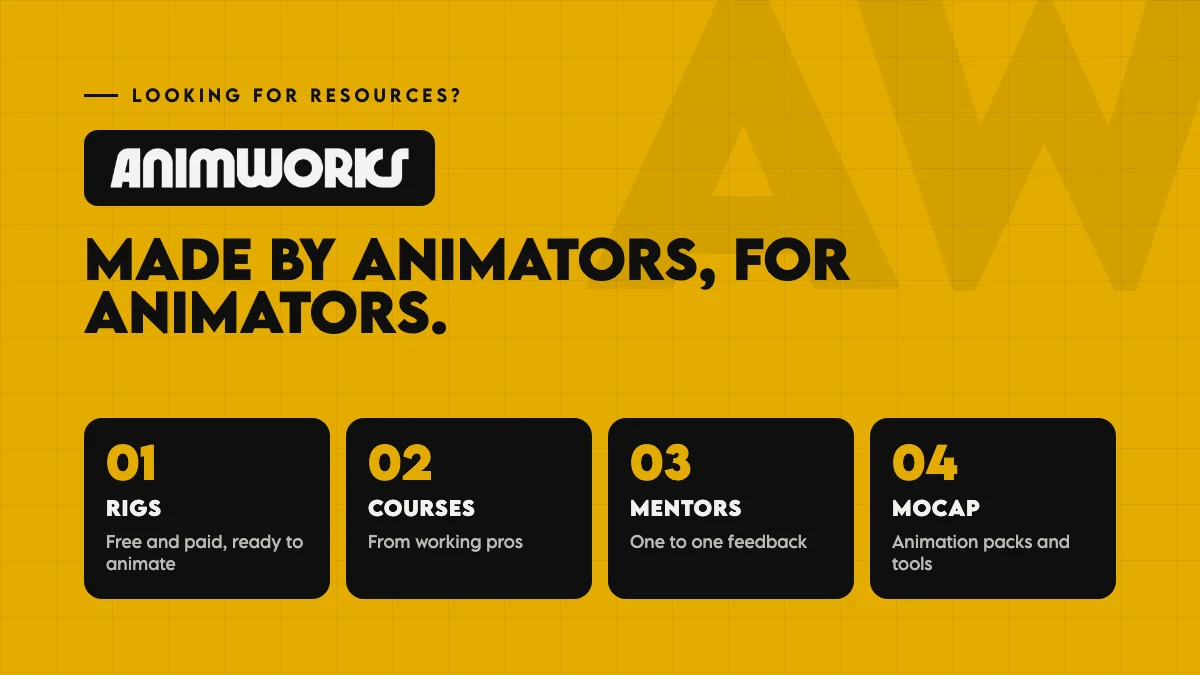 Looking for resources?Rigs, courses and mentors on AnimworksFree and paid rigs, courses from working pros, one to one mentoring and mocap packs.Visit anim.works →
 AI Animation vs Traditional Animation: What Are We Losing?13 Nov 2026
 The Game Animation Pipeline: How I Build One, AAA or Indie12 Jun 2026
 Mastering Motion Capture for Games: Advanced Techniques and Tools From AAA12 Nov 2024
 The Evolution of AI in Animation: Where Art Meets Technology31 Jan 2025